VisitTracker
An iPhone app that logged my store visits on its own, so I had an accurate record of where my workday went.
- Role
- Designed, built and used it myself
- Scale
- 528 stores · about 200 automated tests
- Built with
- Swift, SwiftUI, Core Location, Core Data, Google Apps Script, TypeScript
The problem
My Altria territory had about 570 stores across Maryland. Time in store was one of the main ways my work got measured, and nothing recorded it well. Logging by hand meant stopping at every store to write down times, rounding them, and sometimes missing one.
I had solid data on almost everything except my own day. I wanted the phone to keep that record for me.
What I built
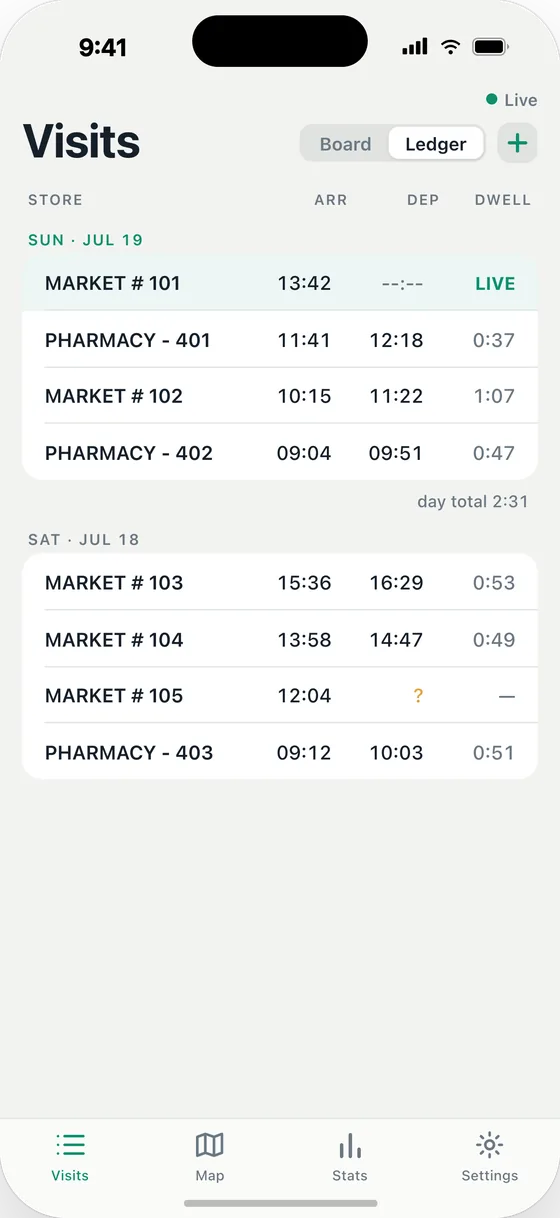
The app runs in the background. When I walk into one of my stores, it logs the arrival. When I leave, it logs the departure and the time on site. Each visit goes to a Google Sheet. There's nothing to tap.
The app shows the data four ways.
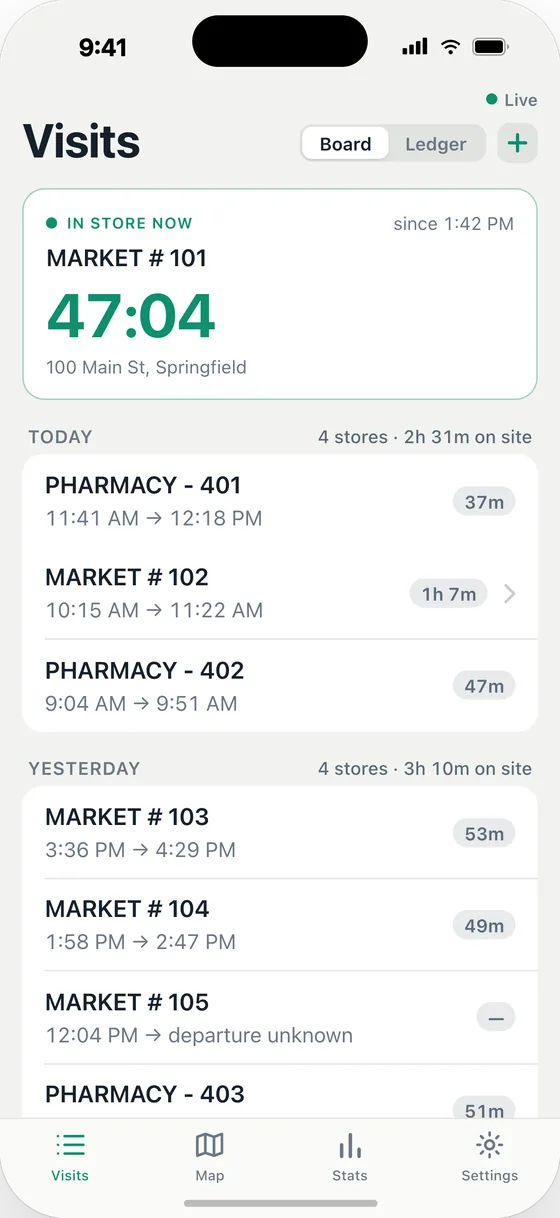
Board
Today's visits in order, with a live timer for the store I'm in.
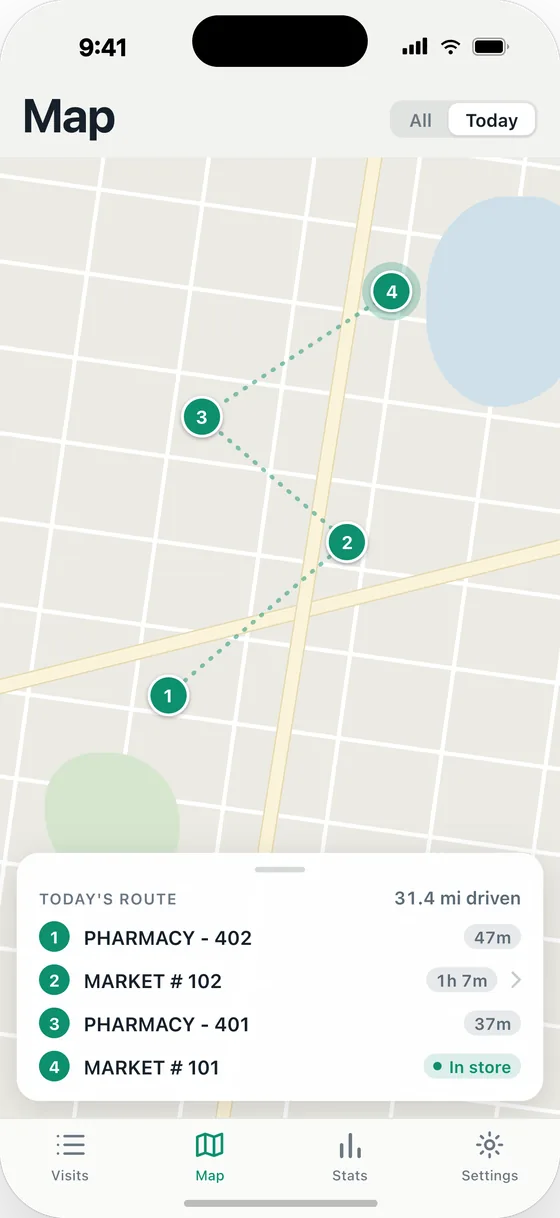
Map
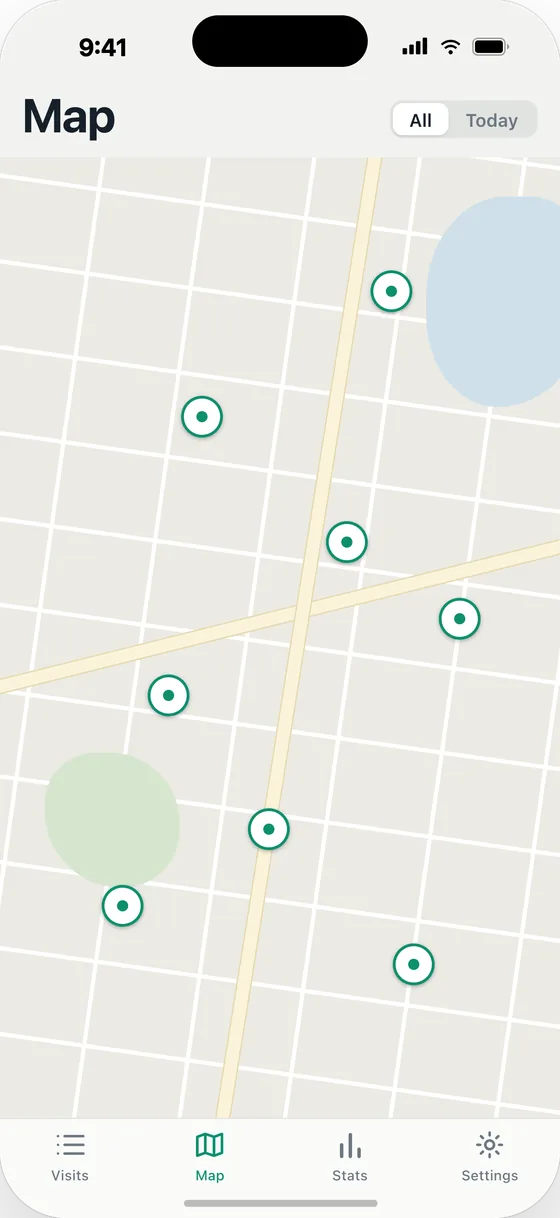
Every store visited, plus today's route and miles driven.
Stats
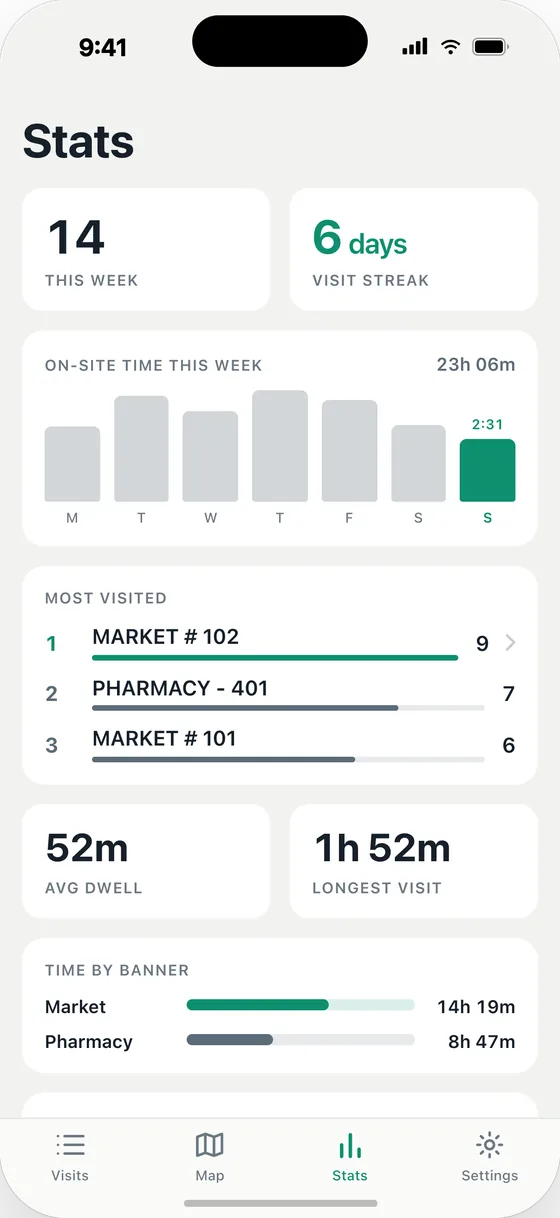
Visit counts, average time in store, time on site by weekday, and how many working days in a row are logged.
Store history
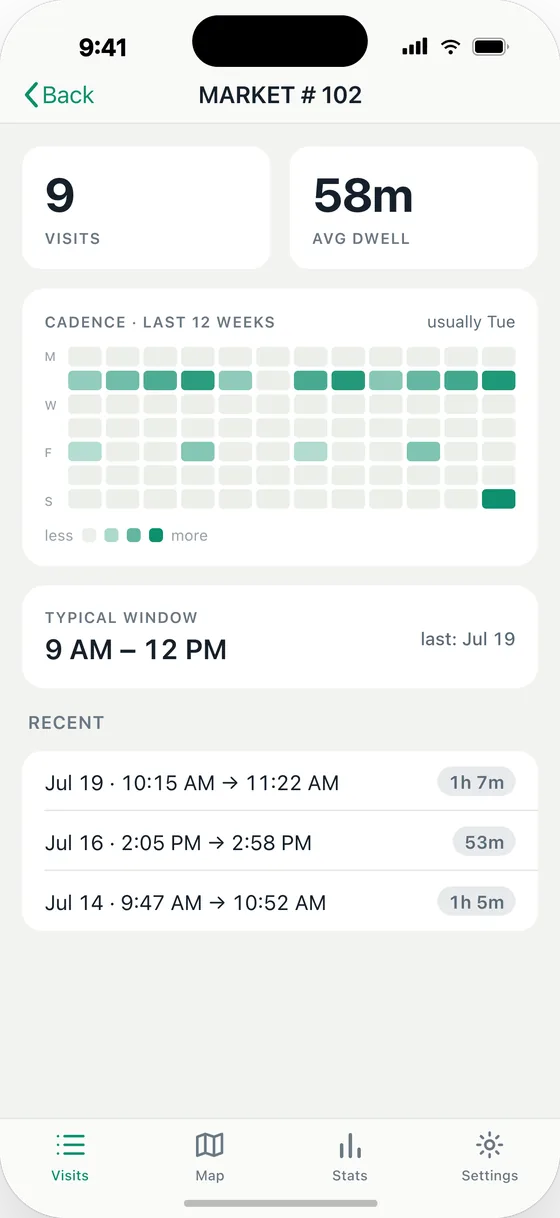
Twelve weeks per store as a heatmap, showing the usual visit day and arrival time.
How I built it
Three separate pieces.
- 1
Geocoding tool · TypeScript
Takes the store list from an Excel export and finds coordinates for each address. If it can't place an address, that store goes into a failure report instead of the app, so nothing gets tracked in the wrong spot. When the list grew from 131 stores to 528, it added only the new ones and left existing visit history alone.
- 2
iPhone app · Swift and SwiftUI
The app itself. The math lives in its own layer, apart from the screens, and that layer is fully tested. Every number on screen comes from tested code.
- 3
Google Sheets webhook · Apps Script
Takes each visit from the phone and writes it to the sheet. No server to maintain, and the data lands in a spreadsheet I already used every day.
I wrote a short spec before building each feature. I built it with AI coding tools. I made the design decisions, told the tools what to build, and tested every piece myself.
Problems I had to solve
iOS only watches 20 locations at a time. I had 528.
The app keeps a rough fix on where I am without running GPS all day. As I move into a new area, it swaps in the 20 nearest stores.
Driving past a store isn't a visit.
Each arrival pops up a lock-screen notification I can confirm or dismiss with one tap. Stops under three minutes get thrown out unless I confirm them.
No signal can't mean a lost visit.
Every visit saves to the phone first. Syncing is a separate step that keeps retrying until the sheet confirms it got the row.
No duplicate rows.
Each visit has its own ID. If the phone sends the same visit twice, the sheet updates the row that's already there.
Edits are allowed, and they show.
I can fix a time, move a visit to the right store in a crowded plaza, or add one the phone missed. Anything edited or entered by hand stays flagged in the data.
No Google login on the phone.
Each request carries a secret token stored in the iPhone Keychain. The sheet rejects anything without it.
The result
A minute-by-minute record of every store visit across the territory, in a spreadsheet I could sort and analyze. I didn't have to log a thing.
Full work history →